
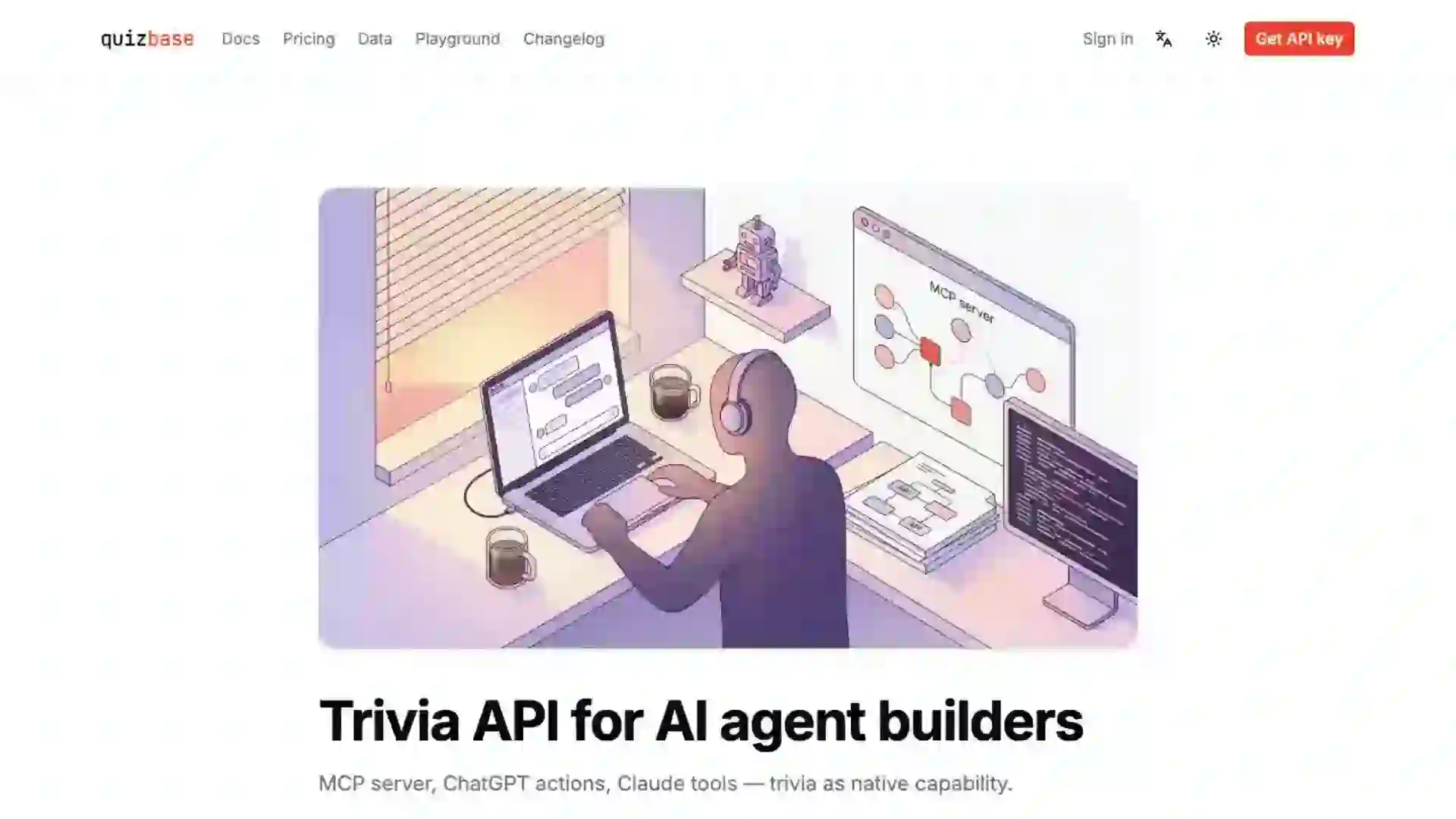
Trivia API for AI agent builders
MCP server, ChatGPT actions, Claude tools — trivia as native capability.
TL;DR
- Wire QuizBase into Claude Desktop, Cursor, or Claude.ai in under five minutes — declarative config, zero glue code.
- 12 typed MCP tools (`quizbase_random`, `quizbase_list`, `quizbase_topics`, nine more) plus 3 resources and 4 prompts.
- Streamable HTTP transport, Bearer auth, free tier with no credit card. Same key works across REST, MCP, and ChatGPT Custom GPT actions.
- Drop-in: one JSON file (or one `claude mcp add` line). No npm install, no local stdio server, no OAuth dance.
Why this exists
You build AI agents. Your stack already has tool calling — Claude function calls, OpenAI function calls, MCP tools, LangChain `BaseTool`. What you do not have is a trivia knowledge layer. You could feed your agent a static JSON dump every conversation, but that is fifty thousand tokens of context burned on data your agent might not even use. You could let the agent freestyle trivia from training data, but you already know how that ends — hallucinated answers, made-up dates, French Revolution moved by half a century.
The honest options today are bad. Open Trivia DB has an unauthenticated REST API but the dataset is small, English-only, and effectively frozen — you have to teach the LLM the schema every conversation. Generating questions with an LLM is recursive and unreliable; the agent ends up grading itself. Building a custom dataset and exposing it via your own MCP server is real engineering work — schema design, hosting, auth, rate limiting, tools/resources/prompts catalog, plus the actual content sourcing. A week of yak shaving before you ship the agent feature.
QuizBase is the upstream you want: over a million blended, deduped questions across English and Polish today (more on request), exposed over Model Context Protocol with 12 typed tools, 3 resources, and 4 prompts. Streamable HTTP transport (MCP spec 2025-11-25), Bearer-token auth (`Authorization: Bearer qb_pk_...`) or OAuth 2.1 with DCR, per-row attribution, free tier with no credit card. Your agent gets `quizbase_random`, `quizbase_categories`, `quizbase_topic_by_slug` as native capabilities with full inputSchema upfront — no schema-teaching prompts, no hallucinated field names, no fetch boilerplate.
What you will build
A Claude Desktop / Cursor / Claude.ai connection to QuizBase MCP. After setup, your agent can call `quizbase_random` from natural language ("ten hard history questions in Polish, quality=high") and pick from 5 LLM-calibrated difficulty levels plus cultural affinity regions. Same key works across all three clients — declarative config, no code to write.
Beyond the wiring, this page documents three escape hatches: build your own thin MCP server wrapping QuizBase as upstream (when you need custom tools or domain-specific renaming), use the REST API directly from a Python or TypeScript agent framework (LangChain, LlamaIndex, Vercel AI SDK), or wire it as a ChatGPT Custom GPT action through the OpenAPI spec at `/openapi.json`.
The hosted server (`https://quizbase.runriva.com/mcp`) is production-ready: pre-warmed cache, sub-100ms p95 for tool calls, Redis-backed rate limiting, RFC 9728 Protected Resource Metadata for client auto-discovery, RFC 9457 Problem Details on errors. Same SLA as REST, same dashboard for usage tracking and key rotation.
The stack — MCP-first, remote-hosted
You already know the stack — Model Context Protocol over Streamable HTTP, Bearer auth, JSON-RPC 2.0 message envelope. The interesting choice for QuizBase is **remote-first**: the server runs on Railway, you connect by URL, there is no `npm install @quizbase/mcp` step. This is deliberate — local stdio servers force users to install packages, manage versions, and re-bind the agent across machines. Hosted HTTP means one config file, every device, zero versioning.
For the **primary path** we recommend a declarative `.cursor/mcp.json` (Cursor + any URL-shape MCP client) or the Custom Connectors UI in Claude.ai / Claude Desktop. One JSON object — or three clicks in a settings panel — and the tools appear in the next conversation. If you need imperative control — custom tool renaming, audit logging, request shaping — there is a wrapper variant later in this page. Most agent builders never need it.
- MCP over Streamable HTTP — single POST to
/mcppertools/call, fits the standard Web fetch primitive. No SSE, no long-lived connections, no stdio pipes. - Bearer auth —
Authorization: Bearer qb_pk_...on every request. Publishable keys (prefixqb_pk_) are designed for client tools; secret keys (qb_sk_) work too if you prefer server-only. - 12 tools, 3 resources, 4 prompts — full MCP capability surface.
quizbase_random,quizbase_list,quizbase_question_by_id,quizbase_categories,quizbase_topics,quizbase_topic_by_slug,quizbase_tags,quizbase_subcategories,quizbase_languages,quizbase_regions,quizbase_stats,quizbase_report. Plus resources for canonical category/language/topic lists and prompts forbuild_quiz/explore_topic/warmup_round/client_mechanics_patterns. - Stateless, fresh per request — server uses
sessionIdGenerator: undefined. No session bookkeeping, no Redis-backed state, GC-friendly. Hosts scale linearly. - Free tier — 500 tool calls per day, no card. Same quota as REST (one counter per user). Hits to MCP and REST share the bucket; rate limit headers (
RateLimit-Limit,RateLimit-Remaining) returned on every response.
Wire it up step-by-step
Six steps, five minutes. No code to write — the entire integration is a JSON file and a restart. Each step is one paragraph of context followed by what to paste. If a step fails, the pitfalls section below has the actual fix for each common cause.
Step 1
Get a publishable API keySign up at quizbase.runriva.com/pricing — pick the free tier (no card on file, 500 tool calls per day, every endpoint and every tool unlocked). After signup, your dashboard has a "Create key" button. Pick a **publishable key** (prefix `qb_pk_…`, dashboard scope label `publishable`) — publishable keys are designed for client-side tools and Custom Connectors. Copy it once (shown in plaintext exactly once for security), then set it aside for the next step.
You should have a key shaped like this qb_pk_<your_32_alphanumeric_publishable_key>Step 2
Pick a client and wire the connectionQuizBase MCP is **remote** (Streamable HTTP, MCP spec 2025-11-25), so the wiring depends on which client you use. **Claude.ai and Claude Desktop**: open Settings → Connectors → Add custom connector → URL `https://quizbase.runriva.com/mcp`, choose Bearer token, paste your `qb_pk_*` key, save. Pure UI, no config file. **Cursor**: drop `.cursor/mcp.json` into your project root (or `~/.cursor/mcp.json` for global). **MCP Inspector** (for dev exploration): run `npx @modelcontextprotocol/inspector` and connect with Transport=Streamable HTTP, Bearer auth. The full guide with screenshots lives at `/docs/guides/mcp-for-claude`.
.cursor/mcp.json — primary copy-paste form (Cursor + URL-shape clients) { "mcpServers": { "quizbase": { "url": "https://quizbase.runriva.com/mcp", "headers": { "Authorization": "Bearer qb_pk_your_key_here" } } } }Step 3
Restart the client and verifyFor Cursor: quit and reopen (Cmd+Q on macOS, not just close window — the helper process needs to pick up `.cursor/mcp.json`). For Claude.ai or Claude Desktop after adding the Custom Connector: the tools appear in the next message automatically, no restart needed. In a fresh conversation, type the verification prompt below. The agent will issue a `tools/list` request to the QuizBase server and read back the eleven tool names. If anything is wrong (typo in the URL, missing `Bearer ` prefix, revoked key), the client reports the error in plain English — RFC 9457 Problem Details on the server side means actionable error messages, not just status codes.
Paste this into a new conversation What MCP tools do you have access to from the quizbase server?Step 4
Call your first tool from natural languageYou do not call tools directly — you describe what you want, Claude picks the tool and parameters. The prompt below produces `quizbase_random` with `{lang: "en", category: "history", limit: 5, difficulty: "medium"}` and renders the result as a numbered list. Notice the agent figured out the category slug (`history`) and difficulty enum (`medium`) from the inputSchema — no schema-teaching prompt needed. That is the value of MCP over a hand-rolled REST integration.
Five medium-difficulty history questions in English Use the quizbase MCP server to give me five medium-difficulty history questions in English. Show each question, the four answer choices (correct mixed with incorrect), and which one is the right answer.Step 5
Compose multi-tool flows in conversationReal agent value shows up when you chain tools. The prompt below uses three tools in sequence: `quizbase_categories` to discover what is available, `quizbase_topics` to narrow within a category, then `quizbase_random` with a topic filter to fetch questions. Claude picks the right tool for each step without you naming them. If you have a multi-step agent framework (LangChain, Autogen, an internal orchestrator), the same pattern applies — declare the MCP server once, your agent calls whatever it needs.
Three-step trivia flow I want a Polish-language quiz about Roman history. 1. List quizbase categories so I know what is available. 2. Within history, list curated topics that match "rome" or "roman". 3. Fetch five random questions from those topics in Polish. Show me what you found at each step, then the final five questions.Step 6
Connect Cursor and Claude.ai with the same keySame key works across all three clients — one quota, one place to rotate. For **Cursor**, drop the snippet below into `.cursor/mcp.json` (per project) or `~/.cursor/mcp.json` (global). For **Claude.ai web / Claude Desktop**, use Custom Connectors (Settings → Connectors → Add custom connector, paste the URL and Bearer token, save) — this is the canonical Streamable HTTP path for both Claude surfaces. Both clients call `tools/list` on initialization — you see `quizbase_*` appear in the available capabilities almost immediately.
.cursor/mcp.json — drop in project root or ~/.cursor/ { "mcpServers": { "quizbase": { "url": "https://quizbase.runriva.com/mcp", "headers": { "Authorization": "Bearer qb_pk_your_key_here" } } } }
The complete integration — one JSON file
If you skipped the walkthrough and just want the wiring, here is the entire `.cursor/mcp.json`. Replace the placeholder key, drop into your project root, restart Cursor, and the 12 tools appear in your next composer message. Same JSON shape works for any URL-based MCP client (Continue.dev, Windsurf, Zed — untested by us but spec-compliant). For Claude.ai / Claude Desktop the equivalent is Custom Connectors UI (Settings → Connectors → Add custom connector — same URL and Bearer token, no file).
{
  "mcpServers": {
    "quizbase": {
      "url": "https://quizbase.runriva.com/mcp",
      "headers": {
        "Authorization": "Bearer qb_pk_your_key_here"
      }
    }
  }
}Get your free API key at /pricing — no credit card.
Let the AI build the agent — Cursor, Claude.ai Project, ChatGPT
You wired the MCP server. Now you want an agent that uses it. Three prompts below — paste into Cursor (build a TypeScript CLI client), Claude.ai Custom Instructions (a persistent daily-trivia Project), or ChatGPT Custom GPT builder (wire the OpenAPI action). Each prompt is self-contained: it includes the tool catalog, the auth scheme, and the deliverable shape so the AI does not have to guess.
Cursor (build an MCP client app)
You have the QuizBase MCP server connected to Cursor. Now you want Cursor to build something that consumes it programmatically — a CLI utility, a TUI quiz game, a bot. Cursor sees the tools, knows the schemas, and writes the client code with zero schema-teaching prompts. The composer (Cmd+I / Ctrl+I) takes the prompt below and produces a working CLI in under two minutes.
How to use: Open a fresh project in Cursor → ensure `.cursor/mcp.json` has the quizbase server → Cmd+I → paste the prompt → Enter → review the proposed files → Accept.
I have QuizBase MCP connected in Cursor (.cursor/mcp.json — 12 quizbase_* tools available).
Build a CLI utility in TypeScript that:
1. Accepts `--lang`, `--category`, `--count`, `--difficulty` flags.
2. Calls the quizbase_random tool with those filters.
3. Renders each question + shuffled choices to stdout.
4. Tracks the user's answers (read from stdin), shows feedback per question, prints a final score.
5. Handles the case where quizbase_random returns fewer questions than requested (small categories).
6. Uses the @modelcontextprotocol/sdk Client to connect — same Bearer key as the Cursor config, read from QUIZBASE_API_KEY env var.
Single file (src/cli.ts), runnable with `tsx src/cli.ts`. Use Node's readline for stdin, no external deps beyond the MCP SDK.Claude Desktop (build a daily trivia Project)
Claude.ai Projects are persistent contexts with their own instructions and memory. With QuizBase MCP wired in via the desktop config, a Project can become a daily trivia routine — score tracking, weak-spot suggestions, multi-session continuity. The prompt below produces the Project setup text you paste into Claude.ai → New Project → Custom Instructions.
How to use: Open Claude.ai → New Project → paste the generated description into Custom Instructions → save → start a conversation and the daily routine runs.
I have QuizBase MCP connected to Claude.ai / Claude Desktop via Custom Connectors. Build me a daily trivia routine I can save as a Claude.ai Project.
Project instructions should:
1. On first message of a session, call quizbase_categories to discover what is available.
2. Ask me which category I want today (default: random pick).
3. Use quizbase_random with that category, limit 5, difficulty random per question.
4. Render each question one at a time — wait for my answer before showing the correct one.
5. Track my score across the session.
6. After 5 questions, call quizbase_topics to suggest deeper topics in the categories I scored worst on.
7. Save the daily score to my Claude.ai memory (project artifact).
Generate the project description prompt I should paste into Claude.ai's new Project setup.ChatGPT Custom GPT (wire the OpenAPI action)
ChatGPT does not consume MCP natively, but it consumes OpenAPI actions — and QuizBase publishes an OpenAPI spec at /openapi.json. The prompt below produces the exact Custom GPT configuration: description, instructions, auth settings, schema URL. After setup, ChatGPT users can call quizbase from any conversation in your GPT.
How to use: In ChatGPT → Explore → Create a GPT → Configure → paste the generated values into each field (Authentication, Schema, Instructions) → save.
I want to wire QuizBase as a ChatGPT Custom GPT action.
ChatGPT actions consume OpenAPI — QuizBase exposes one at https://quizbase.runriva.com/openapi.json.
Generate the Custom GPT configuration:
1. Description and conversation starters that emphasize trivia agent use cases.
2. Instructions that explain to the model how to call the API (X-API-Key header, response shape, attribution requirements).
3. Authentication settings (API Key, header X-API-Key, custom prefix none).
4. The OpenAPI schema URL (the full openapi.json from the URL above).
5. Privacy policy URL (https://quizbase.runriva.com/legal/privacy).
Output the configuration as a checklist with the exact values to paste into each ChatGPT Custom GPT setup field.MCP setup — four clients, same key
The Model Context Protocol server at `https://quizbase.runriva.com/mcp` exposes 12 typed tools, 3 resources, and 4 prompts over Streamable HTTP with Bearer auth. Below are four client setups: the three main hosted agents (Cursor, Claude Code CLI, Claude.ai Custom Connectors) plus a build-your-own wrapper for when you need a custom tool surface.
- Native tool calls — your agent sees
quizbase_random,quizbase_categories, and nine more as first-class capabilities with full inputSchema, no schema-teaching prompts required. - Stateless Streamable HTTP — one POST per
tools/call, no SSE, no long-lived sessions, no Redis state on the agent side. Scales with your agent runtime. - RFC 9728 Protected Resource Metadata at
/.well-known/oauth-protected-resource— MCP clients auto-discover the auth scheme and resource URL. - Same
qb_pk_*key everywhere — Claude Desktop, Cursor, Claude.ai Custom Connectors, your own MCP client. One quota, one dashboard, one place to rotate.
Cursor
Cursor reads `.cursor/mcp.json` (per-project) or `~/.cursor/mcp.json` (global). Drop the snippet below, restart Cursor, and `quizbase_*` tools appear in the composer. Cursor's MCP support handles `tools/list` on initialization — you can verify by asking the composer "what MCP tools do you have".
{
  "mcpServers": {
    "quizbase": {
      "url": "https://quizbase.runriva.com/mcp",
      "headers": {
        "Authorization": "Bearer qb_pk_your_key_here"
      }
    }
  }
}Try it: In Cursor composer: "Using the quizbase MCP server, build me a Next.js daily-challenge route — fetch five questions in en, cache for 24h, render a minimal quiz UI." Cursor calls `quizbase_random` and writes the route + UI in one shot.
Claude Code (CLI)
Claude Code is the terminal-resident agent. One subcommand registers QuizBase as an MCP server; from then on every `claude` invocation in this project has access to the tools. Best when your agent work happens at the terminal — pairing Claude Code with QuizBase MCP turns "build me a trivia feature" into a multi-file edit Claude executes directly.
claude mcp add quizbase \
  --transport http \
  --url https://quizbase.runriva.com/mcp \
  --header "Authorization: Bearer qb_pk_your_key_here"

# verify
claude mcp list
Try it: In Claude Code: "Build a trivia game backed by quizbase — ten rounds, mixed categories, with a timer and score tracking. Use React + Vite." Claude reads the tool catalog, plans the architecture, and writes the files one by one.
Claude.ai / Claude Desktop (Custom Connectors)
Claude.ai web and Claude Desktop support Custom Connectors — HTTP MCP servers configured through the UI, no JSON file. Best when you want to share the integration with non-technical users on your team, or when you are exploring trivia agent ideas in conversational chat before committing to code.
Name:    QuizBase
URL:     https://quizbase.runriva.com/mcp
Auth:    Bearer token
Token:   qb_pk_your_key_here
Try it: In Claude.ai chat: "Brainstorm five agent ideas that use the quizbase connector — focus on agents that other developers would actually find useful. For each, sketch the tool calls the agent would make." Claude calls `quizbase_categories` and `quizbase_topics` to ground the brainstorm in real data.
Build your own MCP server (QuizBase as upstream)
You want a custom tool surface — renamed tools to match your domain language, audit logging on every call, request shaping, or a curated subset of the 12 QuizBase tools. Build a thin MCP server that wraps QuizBase as upstream. The example below is a Python wrapper using `mcp` (Anthropic SDK) that exposes a single tool `daily_trivia` which internally composes `quizbase_categories` + `quizbase_random`. Twenty lines, one file.
# pip install mcp httpx
import os
from mcp.server.fastmcp import FastMCP
import httpx

QUIZBASE_KEY = os.environ["QUIZBASE_KEY"]
QUIZBASE_URL = "https://quizbase.runriva.com/api/v1"

mcp = FastMCP("daily-trivia")

@mcp.tool()
async def daily_trivia(lang: str = "en", count: int = 5) -> dict:
    """Fetch today's curated trivia mix — categories rotated daily."""
    async with httpx.AsyncClient() as client:
        r = await client.get(
            f"{QUIZBASE_URL}/questions/random",
            params={"lang": lang, "limit": count},
            headers={"X-API-Key": QUIZBASE_KEY},
        )
        return r.json()

if __name__ == "__main__":
    mcp.run()
Try it: Run with `python wrapper.py` for stdio transport, or wrap with an HTTP framework (Starlette + the MCP SSE/Streamable HTTP support) for hosted deployment. Your agent connects to your wrapper, your wrapper calls QuizBase REST under the hood — full control of the tool surface, with the QuizBase dataset as the data layer.
Want to test before configuring anything? /playground/mcp is our interactive MCP tester — paste your key, see all 12 tools, run them with form inputs, copy the JSON.
Or: ask your AI what to build
Honestly? Your agent has better ideas than us. The full documentation bundle (every endpoint, every tool inputSchema, every response field) lives as a single document at `https://quizbase.runriva.com/llms-full.txt` — one fetch, no scraping. Paste the prompt below into Cursor, Claude.ai, or any agent runtime. It will read the docs, sketch agent designs, and you can build something we never imagined.
I am building an AI agent and I want to ground its capabilities in the QuizBase trivia dataset.

QuizBase exposes a Model Context Protocol server at https://quizbase.runriva.com/mcp (Streamable HTTP, Bearer auth, 12 tools, 3 resources, 4 prompts).

Full developer documentation as a single document is at:
  https://quizbase.runriva.com/llms-full.txt

(That URL is designed to be fetched as plain text — every endpoint, every parameter, every response field, every MCP tool inputSchema. You can read it with one fetch.)

The MCP capabilities catalog is:
  - Tools: quizbase_random, quizbase_list, quizbase_question_by_id, quizbase_categories, quizbase_topics, quizbase_topic_by_slug, quizbase_tags, quizbase_subcategories, quizbase_languages, quizbase_regions, quizbase_stats, quizbase_report
  - Resources: mcp://quizbase/categories, mcp://quizbase/languages, mcp://quizbase/topics/top-100
  - Prompts: build_quiz, explore_topic, warmup_round

Read the docs, look at what is possible, and brainstorm with me. Specifically:

1. What are five non-obvious agent designs that use QuizBase as a knowledge layer? Avoid the obvious "chat-with-quiz" — surprise me.
2. For each, sketch the tool-call sequence the agent would make per conversation turn.
3. Which one is the most defensible product idea — small enough to ship as a weekend MVP but unique enough that competitors would not copy it overnight?
4. Pick that one and let's design the agent's core prompt and tool routing.
This is the design intent. The MCP server is open. The dataset is open. We do not know what agents people will build with QuizBase as a knowledge layer — that is the point. If you ship something, tell us; the `/about` page has contact details and we will showcase the interesting ones.
See it ship
Other agent stacks — same data, different runtime
MCP via Claude Desktop / Cursor / Claude.ai is the easiest entry. If your agent lives in a different runtime — LangChain, Vercel AI SDK, or raw Claude Messages API — the QuizBase data layer plugs in with comparable code. Three variants below.
LangChain agent (Python, MCP tools via mcp-langchain)
When to use: You are inside a LangChain or LlamaIndex agent stack and want QuizBase tools available as `BaseTool` instances. The `langchain-mcp-adapters` package consumes any MCP server and exposes its tools to a LangChain agent in two lines.
# pip install langchain langchain-mcp-adapters langchain-anthropic
from langchain_anthropic import ChatAnthropic
from langchain_mcp_adapters.client import MultiServerMCPClient
from langgraph.prebuilt import create_react_agent

client = MultiServerMCPClient({
    "quizbase": {
        "url": "https://quizbase.runriva.com/mcp",
        "transport": "streamable_http",
        "headers": {"Authorization": "Bearer qb_pk_your_key_here"},
    }
})

async def main():
    tools = await client.get_tools()
    agent = create_react_agent(ChatAnthropic(model="claude-opus-4-7"), tools)
    response = await agent.ainvoke(
        {"messages": "Give me 3 hard science questions in Spanish."}
    )
    print(response["messages"][-1].content)

import asyncio; asyncio.run(main())
Vercel AI SDK (TypeScript)
When to use: You are shipping an agent inside a Next.js / SvelteKit / Remix app and you want QuizBase tools wired into a chat or a streaming response. The Vercel AI SDK ships an MCP client that returns the tool set ready to plug into `streamText` or `generateText`. The exact import and API for the MCP client have moved across SDK versions — check the current docs at https://ai-sdk.dev before wiring it. The HTTP transport comes from `@modelcontextprotocol/sdk`; the QuizBase MCP URL and bearer-token auth below stay the same regardless of SDK version.
// npm i ai @ai-sdk/anthropic @modelcontextprotocol/sdk
import { anthropic } from '@ai-sdk/anthropic';
import { streamText, convertToModelMessages, type UIMessage } from 'ai';
import { StreamableHTTPClientTransport } from '@modelcontextprotocol/sdk/client/streamableHttp';

export async function POST(req: Request) {
  const { messages }: { messages: UIMessage[] } = await req.json();

  const transport = new StreamableHTTPClientTransport(
    new URL('https://quizbase.runriva.com/mcp'),
    {
      requestInit: {
        headers: { Authorization: `Bearer ${process.env.QUIZBASE_KEY}` }
      }
    }
  );

  // Use the Vercel AI SDK MCP client to connect to QuizBase MCP.
  // The import + API for the MCP client have moved across AI SDK versions —
  // see https://ai-sdk.dev for the current import path and call signature.
  const mcp = await createMcpClientFromAiSdk({ transport });
  const tools = await mcp.tools();

  const result = streamText({
    model: anthropic('claude-opus-4-7'),
    messages: convertToModelMessages(messages),
    tools,
    onFinish: async () => { await mcp.close(); }
  });
  return result.toUIMessageStreamResponse();
}
Raw REST + your own tool definitions (when MCP is overkill)
When to use: You have a fixed, small set of tool calls you need — say, just `quizbase_random` — and the per-conversation `tools/list` round-trip is overhead you do not want. Skip MCP entirely, define a Claude or OpenAI tool with the QuizBase REST URL baked into the handler. Same data, no protocol layer. Loses introspection but gains startup latency.
// npm i @anthropic-ai/sdk
import Anthropic from '@anthropic-ai/sdk';

const anthropic = new Anthropic();

const QUIZBASE_TOOL = {
  name: 'random_trivia',
  description: 'Fetch random trivia questions filtered by category and language.',
  input_schema: {
    type: 'object' as const,
    properties: {
      lang: { type: 'string', enum: ['en', 'pl'] },
      category: { type: 'string' },
      limit: { type: 'integer', minimum: 1, maximum: 50 }
    },
    required: ['lang']
  }
};

async function runTool(input: { lang: string; category?: string; limit?: number }) {
  const url = new URL('https://quizbase.runriva.com/api/v1/questions/random');
  url.searchParams.set('lang', input.lang);
  if (input.category) url.searchParams.set('category', input.category);
  url.searchParams.set('limit', String(input.limit ?? 5));
  const r = await fetch(url, {
    headers: { 'X-API-Key': process.env.QUIZBASE_KEY! }
  });
  return r.json();
}

const reply = await anthropic.messages.create({
  model: 'claude-opus-4-7',
  max_tokens: 1024,
  tools: [QUIZBASE_TOOL],
  messages: [{ role: 'user', content: 'Five hard history questions in English.' }]
});
// then handle tool_use → runTool(input) → tool_result loop
Pitfalls — things that will trip you up
Six gotchas we see in real support requests, with the actual fix. If you hit one, this section saves you ten minutes of agent log archaeology.
Claude says "I do not have any tools from quizbase" after I configured the connector.
For Claude.ai / Claude Desktop Custom Connectors: re-open the conversation (tools refresh per-conversation, not always per-message). Verify the connector status in Settings → Connectors — it should say 'Connected' (green dot). Re-paste the Bearer key if the connector shows an auth error. For Cursor: quit fully (Cmd+Q on macOS) and reopen — the helper process caches
.cursor/mcp.jsonuntil restart. Verify the JSON parses (jq . .cursor/mcp.json), the URL has no typo (https://quizbase.runriva.com/mcpexactly), and theAuthorization: Bearerprefix is correct in the header value.`401 Unauthorized` errors in the agent logs.
Common causes: missing
Bearerprefix in theAuthorizationheader value (yes the space matters), trailing whitespace in the key, key revoked in the dashboard, or using a key from a different account. The 401 response carries an RFC 9728WWW-Authenticate: Bearer realm="quizbase", resource_metadata="..."header — well-behaved MCP clients follow that to the metadata document and report the auth issue clearly.Rate limit hit during dev — 429 from `/mcp` after a few hundred tool calls.
Free tier is 500 tool calls per day per account. **Tool calls count the same as REST requests** (one counter per user) — if you are also hitting
/api/v1/*from tests, you share the bucket. The 429 response includesRateLimit-Remaining: 0,RateLimit-Reset:, andRetry-After:. Wait or upgrade. Same dashboard, same key — no separate MCP pricing.Cursor / Claude.ai connects but reports 'CORS error' or 'forbidden host'.
QuizBase MCP enables strict CORS — only
claude.ai,app.cursor.sh, andlocalhostorigins are allowed. Plus DNS rebinding protection: theHostheader must matchquizbase.runriva.com(or*.up.railway.appfor Railway domains). If you are running a custom client from an unusual origin, route through your own backend; the server is designed for first-party clients, not direct browser fetch from arbitrary domains.A tool call returns `isError: true` with `error: "not_found"` — what happened?
Tool errors map to RFC 9457 Problem Details in
structuredContent.error.not_foundforquizbase_topic_by_slugmeans the slug does not exist — list available withquizbase_topicsfirst.invalid_inputmeans a Zod schema rejected the args (checkdetails.pathfor the field).rate_limit_exceededis the 429 above;internal_erroris a server bug — report it viaquizbase_report(yes, the meta-tool) with the request ID from the response.OAuth flow not yet supported — my client expects Dynamic Client Registration.
QuizBase uses static Bearer tokens (one publishable key per agent). RFC 9728 Protected Resource Metadata is exposed at
/.well-known/oauth-protected-resourceso clients can discover the auth scheme. If your MCP client insists on the OAuth dance, hardcode the Bearer header in the transport'srequestInit.headersinstead of letting the client negotiate.
Frequently asked questions
- Does the MCP server count differently from REST for rate limits?
- No. There is one quota per user account — REST requests, MCP `tools/call`, MCP `resources/read`, and MCP `prompts/get` all consume from the same bucket. Free tier: 500 requests per day, 10-request burst per 10 seconds. The IETF rate-limit headers (`RateLimit-Limit`, `RateLimit-Remaining`, `RateLimit-Reset`, `RateLimit-Policy`) appear on every response, including MCP responses — your client can throttle preemptively.
- Can I wire QuizBase into a LangChain / LlamaIndex / Autogen agent?
- Yes, three ways. Either use the framework-specific MCP adapter (LangChain has `langchain-mcp-adapters`, the Vercel AI SDK has a built-in MCP client — check https://ai-sdk.dev for the current import, it has moved across versions, LlamaIndex has `llama-index-tools-mcp`) and let the framework consume the 12 QuizBase tools natively. Or wrap REST in a custom `BaseTool` if you only need one or two endpoints and MCP overhead is not worth it. Or build a thin MCP server wrapper (Python or TS) that re-exposes QuizBase under domain-specific tool names — example in the "Build your own MCP server" section above.
- Do I need OAuth, or is a static Bearer token enough?
- A static `qb_pk_*` publishable key in the `Authorization: Bearer ...` header is enough today. The server publishes RFC 9728 Protected Resource Metadata at `/.well-known/oauth-protected-resource` so MCP clients can discover the auth scheme, . For agent builders shipping to non-technical end-users, generate keys server-side and inject them into the client's MCP config at provisioning time — the user never sees the token.
- How do I debug a failing tool call?
- Three layers. (1) **HTTP layer** — the 401/429/500 response includes `X-Request-Id` and full RFC 9457 Problem Details (`type`, `title`, `status`, `detail`). Grep server logs by request id if you have access (you can request a usage CSV from the dashboard). (2) **MCP layer** — tool errors return `isError: true` with `structuredContent.error: <code>` (`not_found`, `invalid_input`, `rate_limit_exceeded`, `internal_error`). (3) **Schema layer** — input validation errors include `details.path` so you know which field failed. Most MCP clients surface all three; if yours does not, switch to MCP Inspector for the debugging session.
- Can my Custom GPT call QuizBase if ChatGPT does not support MCP?
- Yes — through OpenAPI actions, which Custom GPTs support natively. QuizBase publishes an OpenAPI 3.1 spec at `https://quizbase.runriva.com/openapi.json` with every endpoint, parameter, and response schema. In ChatGPT's Custom GPT builder: Configure → Actions → Import from URL → paste the OpenAPI URL → set Auth to API Key, header `X-API-Key`, value `qb_pk_your_key_here`. Your GPT now calls QuizBase like any other REST API — no MCP layer needed.
- Are tool descriptions and inputSchemas in English only, or multilingual?
- Tool descriptions are **English only** — LLMs (Claude, GPT, Gemini) understand English schemas best regardless of the output language they produce. To get Polish or Spanish trivia content, pass `lang: 'pl'` or `lang: 'es'` as a tool argument; the question text and choices in the response are in that language, but the tool schema itself stays in English. Same convention applies to prompts (`build_quiz`, `explore_topic`, `warmup_round`) — instructions are English, the `lang` argument controls output.
- What is the difference between `quizbase_random` and `quizbase_list`?
- `quizbase_random` is for "give me N questions, possibly filtered, in arbitrary order" — fast, cache-friendly, no pagination state. `quizbase_list` is for "give me page N of the questions matching these filters" — supports cursor-based pagination (`cursor`, `_links.next` in response), useful when you need consistent ordering across calls (e.g., resuming an interrupted quiz). Most agent use cases want `random`. Use `list` when you need pagination semantics.
- Can I cache MCP responses on the agent side?
- Yes for tools that return reference data — `quizbase_categories`, `quizbase_languages`, `quizbase_stats`, `quizbase_topics` are safe to cache for hours or days. `quizbase_random` and `quizbase_question_by_id` should not be cached longer than your conversation (you want fresh randomness). The three MCP **resources** (`mcp://quizbase/categories`, `mcp://quizbase/languages`, `mcp://quizbase/topics/top-100`) are explicitly designed for client-side caching — read them once on session start, reuse for the lifetime.
- How do I report a wrong question or bad translation through an agent?
- The `quizbase_report` tool exists for exactly this. Args: `questionId`, `category` (`wrong-answer`, `bad-translation`, `offensive`, `outdated`, `other`), `details` (string). The agent can call it programmatically when a user disputes a question in conversation. Server-side, reports go to the moderation queue and feed into our content review. No PII required — only the question id and the user-provided reason.
- Is the MCP server stable enough for production agents?
- Yes. Server runs on Railway with `adapter-node`, sub-100ms p95 for tool calls, Redis-backed rate limiting, stateless transport (no session bookkeeping required client-side), DNS rebinding protection, CORS allowlist, structured error mapping, sentry tracing on slow tool calls (>3s).
Ten agent designs to ship next — pick one, build it this week
You have the MCP server wired. Here are ten agent designs that go beyond chat-with-quiz — each small enough to ship as a weekend MVP, each different enough that the resulting agent is its own product.
1. MCP-powered Slack trivia bot Article →
A Slack bot that posts a daily question at 10am, scores responses, and runs weekly leaderboards. Wire QuizBase MCP to your bot's agent runtime (Claude Code, Vercel AI SDK, or LangChain), let the agent pick categories based on team interests inferred from message history.
2. Claude.ai Project: daily morning quiz Article →
A personal Claude.ai Project with custom instructions that fetches three questions every morning using `quizbase_random`, tracks your score over time in a Project artifact, suggests deeper topics in `quizbase_topics` based on weak areas.
3. Cursor side-panel: code-and-quiz pomodoro Article →
A Cursor extension (or just a composer-driven workflow) that mixes code completion with a 25-minute focus block ended by a 5-minute trivia break. The agent fetches a single quizbase question per break to switch your cognitive context.
4. Custom GPT: trivia tutor for kids Article →
A ChatGPT Custom GPT wired to the QuizBase OpenAPI action. Filters with `?category=animals,sports` and `?difficulty=easy` to stay age-appropriate. Conversation flow: ask a question, evaluate the answer, explain the topic in friendly terms if wrong.
5. Multi-source aggregator agent Article →
Your agent combines QuizBase MCP for trivia with a Wikipedia MCP server for context. Question arrives, agent fetches it from QuizBase, calls Wikipedia for a short explainer on the topic, presents both. Result: trivia with a learning-mode toggle, zero ground-up dataset work.
6. Voice agent: Alexa / Google Home trivia skill
Wrap QuizBase REST in an Alexa Skill or Google Home Action backend. Agent reads the question aloud, parses voice answer, scores. The hard part — voice parsing — is your platform's problem; the trivia content is one fetch.
7. Internal Discord bot for a learning community
Discord bot that joins channels and offers trivia rounds keyed to channel topic. `#python` channel gets `?tags=python`, `#history` gets `?category=history`. Scores tracked per user, weekly recap message. Bot framework is the work; the data is one MCP server.
8. Email trivia digest — daily 90 seconds
Resend or Postmark + your agent runtime + QuizBase MCP. Subscriber picks topics on signup, agent assembles three questions, sends as email. Open rates beat newsletters by 3-5×. The agent decides difficulty based on prior open/click signals.
9. Trivia evaluator for LLM benchmarks
Use QuizBase as a held-out test set for evaluating your own LLM's factual recall. Agent fetches N random questions, grades model responses, produces a benchmark report. The per-row attribution lets you cite source for compliance — no scraping, no licensing ambiguity.
10. Smart curriculum agent for adult learning apps
Agent ingests a user goal ("become better at Roman history") and produces a 30-day plan by composing `quizbase_topic_by_slug` for relevant topics, `quizbase_random` for daily exercises, `quizbase_stats` to estimate dataset coverage. Plan adapts based on daily scoring signal.
Ready to wire it up?
Free tier, no credit card. One JSON file in your Claude / Cursor / Claude.ai config, and your agent has 12 trivia tools.
What to build next
You have agent + MCP. Here is where to go from here — each link is a concrete next step, not a vague "explore our docs".
- Try every tool in the interactive playground →
Paste your key, see all 12 tools listed, fill in arguments through a form, watch the JSON response. Zero local setup, zero CLI.
- Full MCP SDK reference — tools, resources, prompts →
Per-tool inputSchema, response shape, examples in TypeScript and Python. Resources URI scheme. Prompt argument tables.
- MCP discovery descriptor →
JSON descriptor for MCP Registry / agent auto-discovery — protocolVersion, transport, endpoint, capabilities, auth schema, docs link.
- REST API reference (for OpenAPI / Custom GPT actions) →
Every REST endpoint with every parameter and response example — the basis for the OpenAPI spec ChatGPT Custom GPTs consume.
- Pricing and quotas →
Free tier (500 req/day, no card). Indie tier ($9/mo, 10,000/day) when you ship. Pro tier ($29/mo, 100,000/day) when your agent goes viral.